Step-by-Step Visual Instruction Guide
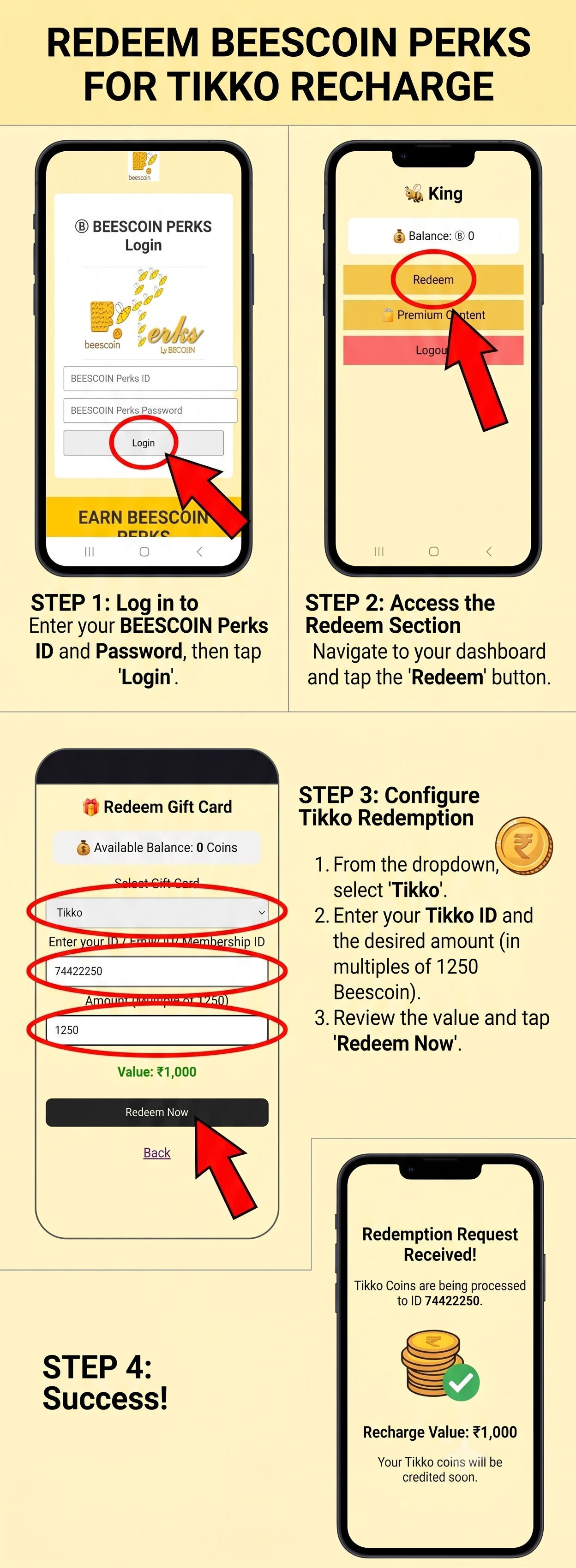
Easy Steps to Redeem
- Step 1: Log In: Visit the official portal and enter your BEESCOIN Perks ID and Password, then tap Login.
- Step 2: Access Redeem Section: Once inside your dashboard, locate and tap on the Redeem button.
- Step 3: Configure Tikko Recharge: Select Tikko from the dropdown menu, type in your Tikko ID, and enter the amount (in multiples of 1250 Beescoin). Verify the value and click Redeem Now.
- Step 4: Complete Redemption: Receive instant confirmation that your Tikko coins are being credited!